 Steve Around
Steve Around
Creator skill.
minecraft-shorts-v1.0.0.zip
Locked
Checkout is coming soon. You can browse the file list below.
Get the skill · $10 USD Access purchased files
Minecraft-style filmmaking
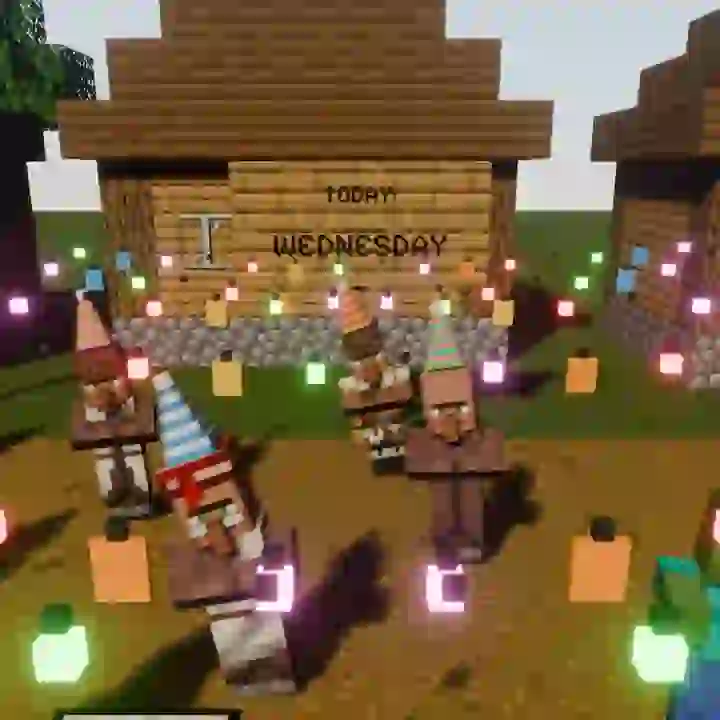
Turn an idea into a Minecraft-style short with the Steve Around creator skill. See it in action at Steve’s burger stand.
The screening room
Watch three Steve Around stories made with the creator skill.
The creator skill
The Steve Around skill is built for short, Minecraft-inspired stories. Explore three moments from Burgers to see how a wide shot introduces the village and a close-up reveals the order that changes the day.
See the project filesJump to a shot in the episode.
Explore the scripts and guides behind the shorts. Your purchase unlocks every file, individually or as one ZIP.
minecraft-shorts-v1.0.0.zip
Checkout is coming soon. You can browse the file list below.
Get the skill · $10 USD Access purchased filesA downloadable AI-assisted animation toolkit for creating Minecraft-style animated videos in Blender. Version 1.0.0 contains 99 files, including animation scripts, character systems, reusable environments, audio tools, three example projects and written documentation.
Yes. There are no recurring subscription fees from Steve Around.
The toolkit is designed for Claude Code and can be adapted to Codex, Gemini CLI, Cursor and other compatible AI coding agents. AI subscriptions and usage credits are separate.
Extract the ZIP, open the quick-start guide and run the included installer. It detects your software, asks permission to install Python dependencies, downloads and validates assets, and checks your installation.
The release was tested on Windows and Linux through WSL. Installers are also provided for native Linux and macOS. Those environments have not been fully tested.
A compatible AI coding agent, Blender 4.2 or newer, Python 3 and FFmpeg. The installer helps detect and configure the required dependencies.
Provide recorded narration or use a separate text-to-speech service. The toolkit handles lip-sync, captions, synchronization and mixing.
Basic computer knowledge is sufficient to start. You may occasionally need to troubleshoot your setup.
The package includes a written quick-start guide, troubleshooting documentation, technical references and three example projects. Video tutorials are not included.
Yes. Run the included diagnostic tool and render the 4.5-second demo without a text-to-speech service.
The installer fetches supported game assets. The toolkit works with over 3,700 game textures, 700 game sounds, 40 validated skins, animated HUD elements, mobs, items and custom character variations.
Yes. Create original stories, customize characters, import skins and build new environments.
Export MP4 in vertical 1080 × 1920 at 30 FPS, widescreen 16:9 or square 1:1.
The three example projects include source scripts and production files. Final rendered videos and original audio files are not included.
The skill assists a local production workflow. You provide narration, render on your computer and adjust shots as needed.
All sales are final. We do not offer discretionary refunds for this digital product. Please review the product description and system requirements before purchasing. Exceptions apply where required by law. For a delivery issue or a refund required by law, contact Steve Around through Purchase support in your library.
Steve Around is an independent creator toolkit and is not affiliated with or endorsed by Mojang, Microsoft or any AI provider.
Sign in to the library with the account you used at checkout. After payment confirmation you can download the complete ZIP or choose individual files.